Convert 3MF to STL (or STL to 3MF) Instantly in Your Browser
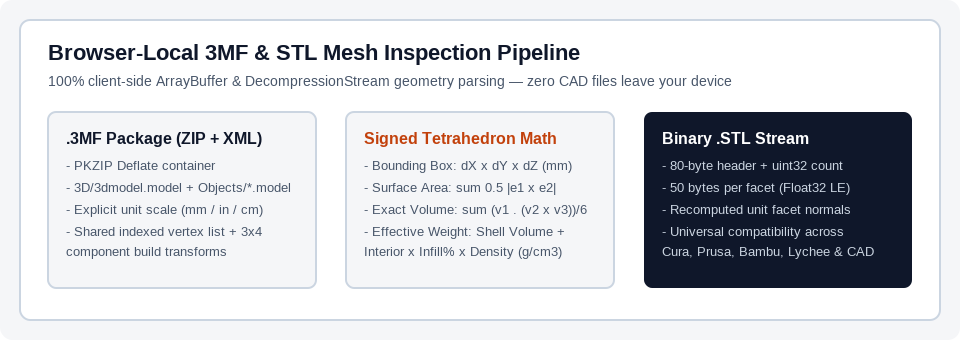
Converting a .3mf archive into a binary .stl file extracts the XML vertex and triangle tables from the compressed package, applies all component transformation matrices, and writes universal 50-byte binary facets without altering mesh geometry. Because Print3DCalc performs the entire PKZIP decompression and binary serialization inside your browser tab, there are no file-size caps, upload queues, daily limits, or cloud privacy risks.
Many models shared on MakerWorld, Printables, and Thingiverse now ship exclusively as .3mf project files containing printer-specific profiles for Bambu Lab or Prusa machines. When you want to open that geometry in Tinkercad, Blender, Meshmixer, FreeCAD, Lychee Slicer, Chitubox, or legacy Cura workflows that require a plain .stl mesh, drop one or dozens of .3mf files above to download clean binary .stl files in under a second.
3MF vs. Binary STL vs. ASCII STL Technical Comparison
The 3D Manufacturing Format (.3mf) is a modern ZIP-compressed XML package that stores explicit measurement units, shared vertex indices, multi-part build transforms, and slicer metadata, whereas .stl stores raw unindexed triangles. Conversely, converting an uncompressed binary or huge ASCII .stl into .3mf welds duplicate corner coordinates and Deflate-compresses the mesh by 65% to 85% for archival storage or sharing.
| Feature | 3MF (.3mf Package) | Binary STL (.stl) | ASCII STL (.stl) |
|---|---|---|---|
| Internal Container | PKZIP Deflate + OPC XML (3D/3dmodel.model) |
80-byte header + 50 bytes per triangle | Plain UTF-8 text (facet normal / vertex) |
| Typical File Size (100k tris) | ~1.1 MB – 1.6 MB | 4.77 MB (exact) | ~22 MB – 28 MB |
| Measurement Units | Explicit (millimeter, inch, cm) |
Unitless numbers (assumed mm by slicers) | Unitless numbers |
| Multi-Part Assemblies | Native <components> + 3×4 transforms |
Merged single triangle soup | Single solid block |
| Software Compatibility | Bambu Studio, Orca, PrusaSlicer, Cura 5+, CAD | 100% universal (all slicers, MSLA, Meshmixer, WebGL) | Legacy CAD scripts & human inspection |
Full Support for Multi-Object Bambu Studio & OrcaSlicer 3MF Files
Modern slicers using the 3MF Production Extension store sub-part meshes inside /3D/Objects/*.model files referenced by <component p:path="..."> entries rather than placing <vertices> directly inside /3D/3dmodel.model. Basic converters that only scan the root model file fail with an "empty mesh" error on Bambu Studio and MakerWorld downloads.
Our converter indexes every .model stream inside the .3mf container, resolves nested <components> and <build><item> 3×4 affine transformation matrices in world-space millimeters, recomputes unit outward facet normals (nx, ny, nz), and outputs a ready-to-slice .stl. Want to visually verify orientation before slicing or quoting? Preview your converted file in the Online STL & 3MF Viewer or click Price Print next to any converted item to open the 3D Print Cost Calculator.